
Why Most AI Projects Fail Before the Model Does

There is an interesting pattern emerging in enterprise AI.

The public conversation is almost entirely focused on models, while the projects that actually fail almost never fail because of the model itself.

Leadership teams compare GPT with Claude, debate whether open-source models provide more flexibility, discuss fine-tuning strategies, and ask whether AI agents represent the next evolutionary step. Those discussions are understandable. Language models are visible, easy to compare and constantly making headlines. They are also the most tangible part of an AI initiative, which makes them an attractive place to start.

The problem is that they are rarely the place where projects succeed or fail.

By the time an organization begins debating model quality, most of the important architectural decisions should already have been made. How business data is structured, where operational knowledge lives, which systems own specific information, how employees interact with existing software, and which business processes should actually be automated are all decisions that shape the outcome of an AI project far more than the choice between one frontier model and another.

This is why many AI initiatives produce impressive demonstrations but disappointing business results. The technology works exactly as expected. The organization around it does not.

A language model can summarize documents, classify emails or generate recommendations with remarkable accuracy. What it cannot do is compensate for fragmented business processes, inconsistent data ownership or software ecosystems that have evolved without any architectural direction. AI has become powerful enough to expose organizational weaknesses, but it is still incapable of solving them on its own.

That distinction is becoming increasingly important as AI moves from experimentation into core business operations. Five years ago, an AI proof of concept could exist in isolation. A small team could build a chatbot, demonstrate it internally and call the project a success. Today, businesses expect AI to improve customer service, optimize logistics, assist sales teams, automate finance processes and support operational decision-making. These are no longer isolated experiments. They are production systems that must integrate with the rest of the enterprise.

The moment AI becomes part of everyday operations, traditional software engineering problems immediately reappear.

Where does the data come from?

Which system owns it?

Who is responsible when the model produces an incorrect recommendation?

How are business rules maintained?

What happens when the workflow changes?

None of these questions can be answered by selecting a different model.

In many ways, the current enthusiasm surrounding large language models resembles earlier waves of enterprise technology adoption. Cloud computing did not solve poor software architecture. Microservices did not eliminate technical debt. Low-code platforms did not remove the need for good system design. Every major technology shift promised simplicity, yet organizations that benefited the most were usually the ones that already had strong engineering practices in place.

AI is following exactly the same pattern.

Companies with well-defined business processes, reliable integrations and mature software platforms often discover that adding AI is relatively straightforward. The technology becomes another capability that extends existing systems. Organizations with fragmented operations experience something very different. AI quickly exposes missing documentation, duplicated business logic, inconsistent terminology and years of accumulated integration problems. What initially appeared to be an AI challenge gradually turns into an architecture project.

This is one of the reasons why conversations about AI agents often miss the bigger picture.

Whether an organization deploys an autonomous agent or a workflow-driven assistant is rarely the first decision that matters. Before discussing autonomy, businesses need to understand the operational process they are trying to improve. An autonomous system built on top of inconsistent workflows rarely produces autonomous value.

AI Agents vs AI Workflows: Why Most Businesses Are Asking the Wrong Question

Perhaps the biggest misconception surrounding enterprise AI is the belief that intelligence is now the primary competitive advantage. Intelligence has become increasingly accessible. Every major language model is capable of solving remarkably complex problems. What remains difficult—and what continues to separate successful AI projects from unsuccessful ones—is the ability to embed that intelligence into software that reflects how a business actually operates.

That requires much more than prompts.

It requires architecture.

It requires integration.

It requires governance.

Most importantly, it requires a clear understanding that AI is not replacing enterprise software. It is becoming another layer within it.

Organizations that recognize this early tend to approach AI differently. Instead of asking which model they should deploy, they begin by asking where AI can remove friction from existing business operations. Instead of measuring success by benchmark scores, they measure reduced processing time, fewer manual tasks, improved decision quality or faster customer response times. The conversation shifts from technology to outcomes, and that shift usually happens long before anyone writes their first prompt.

This is also why the majority of enterprise AI projects do not fail because the model is incapable. They fail because businesses attempt to introduce intelligence into systems that were never designed to support it. The model becomes the visible part of the project, but the invisible foundations—data quality, software architecture, operational maturity and integration strategy—continue to determine whether that intelligence creates measurable business value or simply becomes another disconnected feature.

The irony is that the companies often perceived as being “ahead in AI” are usually not ahead because they have discovered a better model. They are ahead because they spent years building software platforms that AI can successfully build upon.

That is where the real conversation about enterprise AI should begin.

AI Doesn’t Fail Because of Intelligence. It Fails Because of Complexity.

If there is one characteristic that separates enterprise AI from consumer AI, it is complexity.

Using ChatGPT is simple because the model operates within a clearly defined environment. A single user asks a question, receives an answer and decides whether that answer is useful. There are very few dependencies, no integration requirements and almost no operational consequences if the response is imperfect.

Enterprise software works under entirely different conditions.

A recommendation generated by AI may influence inventory purchases, trigger production orders, change delivery schedules or affect financial reporting. Information rarely originates from a single source. Customer data might live in a CRM, product information in an ERP, operational events inside a WMS and historical documentation in SharePoint or another knowledge management platform. Each system has its own data model, update cycle and ownership. AI is expected to navigate this environment as if it were one coherent source of truth.

Of course, it isn’t.

This is where many organizations discover that their AI initiative has quietly transformed into a software architecture initiative. The model itself performs exactly as expected, but the surrounding ecosystem cannot provide the consistency that intelligent systems require. Different departments define the same business concepts differently, documentation contradicts operational reality and business rules exist only as tribal knowledge accumulated over years of day-to-day work.

These problems existed long before AI arrived. Traditional software simply tolerated them better because deterministic systems operate within clearly defined rules. AI, on the other hand, constantly depends on context. When that context is fragmented, outdated or contradictory, the quality of the output inevitably reflects those weaknesses.

This explains why organizations often describe AI as being “unreliable” when the underlying issue has little to do with the model itself. The model is simply reasoning over incomplete or inconsistent information. Improving the model may produce marginal gains, but it rarely addresses the root cause.

The same pattern appears repeatedly across industries. Businesses invest months comparing language models while spending relatively little time understanding how information moves through the organization. Yet from an engineering perspective, information architecture usually has a much greater impact on production quality than model selection. Once modern language models reach a sufficiently high capability threshold, the limiting factor is no longer intelligence but the quality of the environment in which that intelligence operates.

This is one reason retrieval-based architectures have become the preferred approach for many enterprise AI systems. Rather than assuming a model should permanently “know” everything about the business, successful implementations focus on ensuring it can reliably access current business information at the moment it is needed. The challenge shifts away from teaching the model and toward building trustworthy information flows between enterprise systems.

RAG vs Fine-Tuning for Enterprise AI Assistants

That architectural shift is subtle but significant. It reframes AI from being a standalone product into becoming another consumer of enterprise knowledge. Once viewed from that perspective, many implementation decisions become considerably easier because they resemble problems software architects have been solving for decades.

Data ownership, version control, permissions, integration boundaries and service reliability suddenly become more important than prompt engineering. AI does not replace these concerns; it increases their importance because intelligent systems amplify both the strengths and weaknesses of the platforms they depend upon.

This is also why successful AI projects tend to involve more software engineers and enterprise architects than machine learning specialists. That observation often surprises organizations at the beginning of their AI journey. They expect the primary challenge to be selecting models or designing prompts, only to discover that the majority of implementation effort is spent connecting systems, restructuring workflows, improving data quality and establishing governance around business knowledge.

From the outside, this work appears unrelated to artificial intelligence. In reality, it is precisely what makes artificial intelligence useful.


Most Organizations Don’t Have an AI Problem. They Have a Systems Problem.

One of the easiest ways to assess whether an AI initiative is likely to succeed is to ignore the AI entirely and instead examine the underlying software landscape.

How many systems store customer information?

Where does operational knowledge live?

Can the organization identify a single source of truth for orders, inventory or contracts?

How difficult is it to introduce a new business process without modifying several disconnected applications?

The answers to these questions reveal far more about AI readiness than any discussion about language models.

Organizations with mature software platforms generally find that AI fits naturally into existing workflows. New capabilities can be introduced through well-defined APIs, business logic already exists in centralized services and operational data is accessible through predictable interfaces. AI becomes another software capability rather than an isolated project competing with existing systems.

The opposite is equally common.

Many businesses have accumulated years of technical decisions that made sense individually but created significant architectural complexity over time. New applications were introduced to solve immediate operational needs. Integrations were built quickly to satisfy individual projects. Departments optimized for local efficiency rather than organizational consistency. None of these decisions seemed problematic at the time, yet together they produced an ecosystem where introducing AI becomes unexpectedly difficult.

At that stage, organizations often conclude that AI technology is immature.

More often than not, what is actually immature is the software environment into which AI is being introduced.

This is why enterprise integrations have become one of the most overlooked aspects of modern AI architecture. Language models create value only when they can reliably interact with operational systems. If customer information, logistics data, pricing rules and internal documentation remain isolated from one another, AI cannot bridge those gaps simply by reasoning more effectively.

Why Enterprise Integrations Become a Bottleneck (And How to Avoid It)

The most successful enterprise AI projects therefore spend surprisingly little time treating AI as something fundamentally different from software engineering. Instead, they extend existing architectural principles to accommodate a new capability. Integration strategy, system boundaries, data governance and operational ownership remain just as important as they were before AI entered the picture—perhaps even more so because intelligent systems depend on them continuously rather than occasionally.

It is tempting to believe that AI represents a technological shortcut around years of architectural investment.

In practice, it rewards organizations that have already made those investments.

What Successful AI Projects Do Differently

By this point, a pattern begins to emerge.

Successful AI projects are not necessarily built by organizations with the largest budgets or the most advanced technology teams. They are usually built by organizations that understand a simple principle: AI is a capability, not a product.

That distinction fundamentally changes how the project is approached.

Companies that struggle with AI often organize initiatives around the technology itself. They establish an “AI project,” assemble a team, select a model and begin looking for opportunities to use it. The project becomes centered on proving that artificial intelligence can do something impressive.

Successful organizations work in the opposite direction.

They begin with an operational bottleneck that already exists. Perhaps planners spend hours manually reviewing transport requests. Perhaps customer service representatives search through multiple systems before answering a simple question. Perhaps finance teams repeatedly validate invoices because information arrives from different sources. These problems existed long before AI entered the conversation, and they would still deserve attention even if language models had never been invented.

Artificial intelligence simply becomes another engineering tool for addressing them.

This way of thinking has an important consequence. It forces every AI initiative to justify itself against alternative solutions.

Would a traditional integration solve the problem more reliably?

Would better reporting eliminate the manual work altogether?

Could the workflow itself be simplified before introducing AI?

These questions are surprisingly absent from many AI discussions, yet they are exactly the questions experienced software architects ask before introducing additional complexity into an enterprise platform. The objective is not to maximize the use of AI. The objective is to improve the business.

That philosophy also changes how success is measured. Rather than counting prompts, conversations or model accuracy, organizations begin measuring operational outcomes. Processing times decrease. Manual work is reduced. Customer response times improve. Employees spend less time searching for information and more time making decisions. AI gradually disappears into the background because users stop thinking about the technology and start noticing the improvements in their daily work.

Ironically, this is probably the highest compliment an enterprise AI system can receive. Nobody talks about it anymore because it has become a natural part of how the business operates.

A useful comparison is modern database technology. Very few organizations consider their database to be an innovation initiative. It is simply infrastructure that enables the rest of the business. Enterprise AI is moving in the same direction. Over time, it will become another architectural capability embedded within business software rather than a standalone product demanding constant attention.

This perspective also explains why companies that have invested in modern software platforms often adopt AI much faster than organizations attempting to retrofit intelligence into legacy systems. AI benefits from the same architectural characteristics that benefit every other part of enterprise software: modular services, clear ownership, reliable integrations and consistent data models.

None of those concepts are new.

AI simply makes them impossible to ignore.


AI Is Becoming a Software Architecture Discipline

One of the most significant changes over the past few years has been the shift in who leads successful AI initiatives.

Early AI projects were frequently driven by innovation teams or isolated research groups. Their goal was to explore what the technology could achieve, often without worrying too much about long-term maintenance or operational integration.

Production AI looks very different.

As organizations begin embedding AI into critical business processes, responsibility naturally shifts toward software architects, engineering leaders and product teams. The discussion becomes less about model capabilities and more about maintainability, governance, scalability and operational resilience. Questions that once belonged exclusively to enterprise software architecture are now central to every meaningful AI implementation.

Can this system evolve as business requirements change?

Who owns the business rules that influence AI decisions?

How are new knowledge sources introduced without breaking existing workflows?

What happens if regulations require certain decisions to remain under human control?

These are architectural questions before they are AI questions.

That is why organizations increasingly discover that successful AI implementation depends on exactly the same engineering disciplines that have always underpinned successful enterprise software. Good architecture does not become less important because artificial intelligence is introduced. If anything, it becomes more valuable because AI continuously interacts with multiple systems, consumes business knowledge from numerous sources and influences decisions across departments.

This is also where many businesses underestimate the importance of custom software.

Consumer AI tools are remarkably effective at individual productivity tasks, but enterprise value rarely comes from isolated conversations with a language model. It comes from embedding intelligence directly into operational platforms where employees already work. That requires software designed around the organization’s processes rather than generic interfaces designed for millions of users.

Custom Software Development Services for Scalable Digital Products

AI Development Services & Artificial Intelligence Solutions for Business

When AI becomes part of the application instead of an application on its own, adoption improves naturally because employees do not need to change the way they work. They simply perform the same tasks more efficiently while intelligent capabilities operate behind the scenes. From a user perspective, the software becomes better. Whether that improvement is powered by AI is almost secondary.

This is ultimately why conversations about enterprise AI should begin with software architecture rather than model selection. Models will continue to evolve rapidly. The surrounding platform will determine whether those improvements create lasting business value or simply become another technological experiment that fails to survive beyond its initial demonstration.

The organizations that understand this are not preparing for the next generation of language models.

They are preparing their software platforms to benefit from whatever comes next.

Written by Logicnord Tech Team

The Logicnord Tech Team designs and builds custom AI and enterprise software solutions for companies operating in logistics, manufacturing, retail and other complex industries. Our engineers specialize in software architecture, AI integration, workflow automation and scalable business platforms that help organizations modernize critical operations.
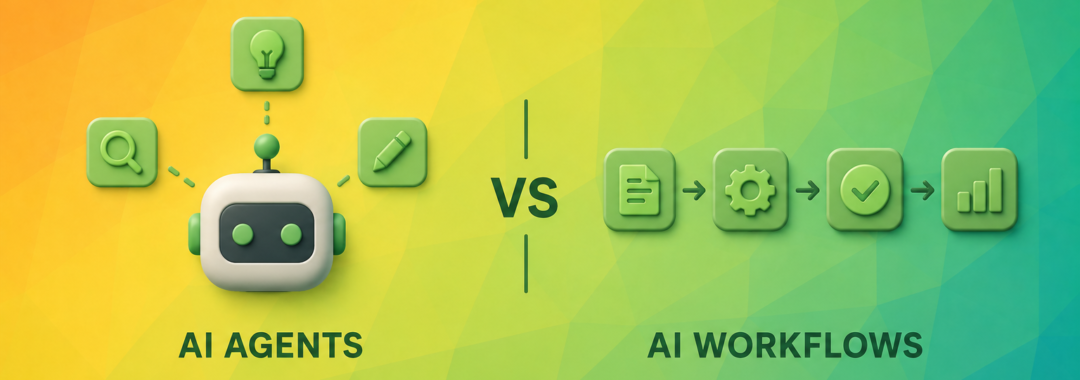

AI Agents vs AI Workflows: Why Most Businesses Are Asking the Wrong Question

Short answer: AI workflows improve individual steps inside a business process you already control. AI agents reason about the problem and act autonomously. Both use large language models, but most enterprises get more value – faster, more reliably, and at lower risk – from AI workflows, not autonomous agents.

If you’ve attended an AI conference, opened LinkedIn, or spoken with a software vendor over the past year, you’ve probably noticed the same pattern: everyone suddenly wants AI agents.

Not document automation. Not workflow optimization. Not better business processes. Agents. Somewhere along the way, autonomous AI agents became the default answer to almost every business problem. Companies that only recently started experimenting with ChatGPT are now asking how they can build fully autonomous systems capable of making decisions, coordinating tools, and replacing manual work.

It’s easy to understand why. The latest demonstrations from OpenAI, Anthropic, and Google are genuinely impressive – AI can browse the web, write code, analyze documents, plan tasks, and interact with software in ways that seemed impossible just a few years ago. Naturally, business leaders look at these demonstrations and ask a reasonable question: “Can we build something like this for our company?”

Sometimes the answer is yes. More often, though, the answer is something else entirely. After working on AI-powered enterprise software, logistics platforms, and operational systems, we’ve learned that most organizations don’t actually need autonomous AI agents. They need better workflows. That may sound less exciting – but it also happens to be where most business value is created.

The Wrong Question Most Companies Start With

One of the biggest mistakes companies make when adopting AI is assuming that intelligence is the missing piece. It usually isn’t.

Imagine a logistics company processing hundreds of transport requests every day. Operators receive emails from customers, review shipment details, calculate profitability, assign vehicles, notify drivers, and update accounting systems. None of these activities are particularly intelligent on their own – most follow clear business rules. Yet they’re still slow. Not because employees make poor decisions, but because the workflow itself is fragmented.

Information arrives in different formats. Data is entered multiple times. Systems don’t communicate reliably. Approvals happen over email. Critical information lives in spreadsheets. Adding an AI agent to this environment doesn’t magically solve the problem – it simply automates the chaos.

This is something we also discussed in Why Enterprise Integrations Become a Bottleneck (And How to Avoid It). As software ecosystems grow, the challenge rarely becomes the individual systems themselves – it’s the complexity of the connections between them. AI depends on those same connections. If your integrations are unreliable, your AI will inherit the same problems. AI doesn’t replace architecture; it amplifies it.

Businesses Don’t Need More Intelligence – They Need More Consistency

This is perhaps the least discussed truth in enterprise AI. When executives say they want AI, what they’re often describing is something entirely different. They want fewer repetitive tasks, employees spending less time copying data between systems, customer requests processed faster, planners making decisions with better information, and fewer operational mistakes.

Notice what isn’t on that list. Nobody says, “We need software that independently invents new strategies.” Businesses don’t operate like research laboratories – they operate through repeatable processes. Every invoice follows a process. Every shipment follows a process. Every insurance claim follows a process. Every support request follows a process.

The goal isn’t to replace those processes with autonomous reasoning. It’s to make them faster, more accurate, and easier to manage. That’s a workflow problem, not an agent problem.

Why the Hype Around AI Agents Is Easy to Understand

To be fair, AI agents represent an exciting evolution of modern software. Large language models no longer just answer questions – they can plan, choose tools, execute tasks, reflect on previous outputs, and adapt to new information. From a technical perspective, that’s remarkable.

The problem begins when these capabilities are marketed as universal solutions. History has seen this pattern before: cloud computing was going to replace every data center, microservices were supposed to replace monoliths, and blockchain was expected to transform every industry. Today, AI agents occupy a similar position. They’re real and valuable – but they’re also being applied to problems they weren’t designed to solve.

Enterprise software has always rewarded predictability over novelty. Businesses care about reliability, compliance, auditability, governance, and repeatability. These priorities don’t disappear simply because AI becomes more capable. If anything, they become even more important.

Before AI Can Make Decisions, Your Business Needs To

One of the most common assumptions about AI is that it can compensate for unclear business processes. In reality, the opposite is true: the better defined a workflow is, the more effective AI becomes.

Consider an approval process inside a manufacturing company. A purchase request may require validation against budget limits, supplier agreements, inventory levels, and department approvals before it can proceed. Those aren’t AI problems – they’re business rules. AI might summarize supporting documents, extract information from contracts, recommend preferred suppliers, or flag unusual requests. But the workflow itself already exists.

Trying to replace that structure with a fully autonomous AI agent would introduce unnecessary complexity. Instead of making the process simpler, it creates new questions. Who is responsible if the AI approves the wrong purchase? How do you audit its decisions? Can finance explain why a request was accepted? How do you test future updates? These questions don’t disappear because AI is involved – they become harder.

That’s why successful enterprise AI projects rarely start with autonomous decision-making. They start by understanding how work actually flows through the organization.

Intelligence Without Structure Creates More Complexity

There’s an old software engineering principle that still applies today: automation improves good processes and exposes bad ones. AI works exactly the same way.

If employees manually move information between five disconnected systems, AI might reduce the manual effort – but it doesn’t solve the architectural problem. If customer information exists in three different databases, AI won’t magically establish a single source of truth. If planning decisions depend on outdated spreadsheets, AI won’t eliminate inconsistent data. The technology just becomes another layer sitting on top of existing operational complexity.

This is why organizations that invest in architecture often achieve better AI outcomes than those investing only in larger language models. The model matters. The workflow matters more.

Good AI Starts With Understanding Work

One pattern appears repeatedly across successful enterprise AI implementations. The projects that generate measurable business value don’t begin by asking “Where can we use AI?” They begin with a different question: “Where does work slow down?”

That’s an important distinction, because slowing work isn’t usually caused by a lack of intelligence. It’s caused by waiting, searching, copying, reviewing, reconciling, switching between systems, and repeating the same actions hundreds of times every week. Those are workflow bottlenecks – and workflow bottlenecks are precisely where AI delivers its greatest value. Not by replacing people, and not by acting autonomously, but by removing friction from how work already happens.

AI Workflows vs AI Agents: The Architecture Behind Enterprise AI

By now we’ve established that most companies aren’t really looking for AI agents. They’re looking for faster operations, fewer repetitive tasks, and better decisions. The important question is no longer whether AI should become part of the business – it’s how.

That’s where many AI initiatives begin to diverge. Some organizations build AI into existing workflows. Others attempt to build autonomous agents capable of making decisions on behalf of the business. Both approaches use large language models, and both can produce impressive demonstrations. But only one is usually the right architectural choice. The difference isn’t the model – it’s the role AI plays inside the system.

AI Workflows Are Designed Around Business Processes

The easiest way to understand an AI workflow is to stop thinking about AI altogether and think about the business process instead. Every organization already runs on workflows: a customer submits an order, a shipment is created, an invoice is approved, a support ticket is assigned, an insurance claim is reviewed.

The workflow already exists. People know what happens first, what information is required, and which decisions need approval versus which can be automated. AI simply improves individual steps – it might classify incoming emails, extract structured information from documents, summarize contracts, recommend the next action, or generate reports. But the workflow itself remains predictable.

That’s exactly why workflow-based AI scales so well inside enterprise environments. The AI isn’t responsible for the business; the business remains responsible for the business. AI simply removes friction.

AI Agents Change the Architecture

AI agents operate differently. Instead of completing predefined tasks, they’re expected to reason about the problem itself. An agent may decide which systems to query, which tools to call, whether more information is needed, which task should happen next, and whether the objective has been completed.

This flexibility is what makes AI agents exciting – and it’s also what makes them considerably harder to design. Every additional degree of autonomy introduces new architectural questions: Who validates the output? Who owns the decision? How are failures detected? How do you audit the reasoning process? How do you reproduce a decision six months later? These aren’t prompt engineering questions. They’re software architecture questions – and software architecture has always been the hardest part of enterprise software.

Architecture Matters More Than the Model

One of the biggest misconceptions in enterprise AI is that choosing the right model is the most important decision. Should we use GPT-4? Claude? Gemini? Open-source models? In reality, these decisions often have less impact than the surrounding architecture.

We’ve discussed a similar principle in our article on RAG vs Fine-Tuning for Enterprise AI Assistants. Many organizations immediately assume they need to fine-tune a model when the real challenge is connecting the model to reliable company knowledge, structured business data, and existing systems. Exactly the same principle applies here: whether you’re building AI workflows or AI agents, the architecture surrounding the model usually determines long-term success. The model is only one component. The workflow is the product.

A Real Enterprise Workflow

One of the clearest examples comes from logistics. In our Logvision project, AI processes incoming transport requests arriving from multiple sources. At first glance, someone might describe this as an AI agent. It isn’t.

The process begins when transport offers arrive by email. AI extracts relevant shipment information, and the extracted data is validated against business rules. Planning algorithms calculate profitability, dispatchers review recommendations, operational systems update planning data, accounting receives structured information, and reporting reflects the completed operation.

Notice what’s happening. AI performs several important tasks, but it never becomes responsible for the entire operation. Business logic still belongs to the platform. Operational decisions still belong to the organization. The AI simply accelerates a workflow that was already understood – which is one reason the platform can scale without sacrificing predictability.

If you’re interested in how these architectural decisions translate into production systems, our Logvision case study explores the design challenges behind building an AI-powered logistics platform.

Good AI Doesn’t Replace Enterprise Software – It Extends It

There’s another misconception that’s becoming increasingly common: that AI will eventually replace ERP systems, CRMs, or warehouse management platforms. In practice, we’re seeing the opposite.

The most successful AI projects don’t replace enterprise software – they extend it. An ERP already contains years of business logic. A CRM already defines customer relationships. A warehouse platform already understands inventory. Replacing these systems with autonomous AI would mean rebuilding decades of operational knowledge.

Instead, AI becomes another capability inside an existing software ecosystem. It summarizes information, finds patterns, speeds up repetitive work, and supports decision-making – but the enterprise platform remains the source of truth. This is one of the reasons our Custom Software Development approach focuses on evolving existing business systems rather than replacing them wholesale. AI creates the most value when it strengthens software architecture – not when it attempts to become the architecture.

Autonomy Creates New Engineering Problems

Giving AI more responsibility doesn’t simply increase capability – it also increases risk. Imagine an autonomous purchasing agent that receives supplier requests, negotiates pricing, approves purchases, schedules deliveries, and updates accounting. On paper, this sounds impressive. In production, dozens of new engineering problems appear almost immediately.

What happens if supplier pricing changes unexpectedly? What if regulations require human approval? How are financial decisions audited? Who becomes responsible when the AI chooses the wrong supplier? How do you investigate a mistake weeks later? These challenges have very little to do with language models. They’re questions of governance, compliance, and system design. That’s why enterprise AI isn’t fundamentally an AI problem – it’s an enterprise architecture problem.

The same architectural thinking is essential when designing integrations between ERP systems, CRMs, AI services, and operational platforms. As we explored in Why Enterprise Integrations Become a Bottleneck (And How to Avoid It), complexity doesn’t grow because organizations adopt more technology – it grows because the relationships between systems become harder to manage. AI becomes one more participant in that ecosystem, not a replacement for it.

Most Businesses Already Know the Right Answer

Interestingly, many organizations unknowingly choose AI workflows before they ever consider AI agents – because they’re solving practical problems. A support team wants AI to summarize tickets. Finance wants invoices extracted automatically. Operations wants shipment emails converted into structured planning data. HR wants resumes categorized. Legal wants contracts summarized.

None of these objectives require autonomous reasoning. They require consistency, predictability, integration, and reliable business rules – and those characteristics describe AI workflows remarkably well.

Choosing the Wrong Architecture Is Expensive

One of the hidden costs of AI hype is that companies sometimes build for tomorrow’s problems instead of today’s. They invest months designing autonomous agents while employees still copy information manually between systems, still wait for approvals, and still switch between six different applications to complete one task.

That’s not an AI problem – it’s a workflow problem. Before increasing AI autonomy, organizations should reduce operational friction, because removing ten manual steps usually creates more business value than building one autonomous agent.

Choosing the Right AI Strategy for Your Business

Enterprise AI is entering a new phase. A year ago, the biggest question was whether businesses should use AI at all. Today, the question is completely different: what kind of AI should we build? A chatbot? An AI assistant? An AI workflow? A fully autonomous agent?

The answer isn’t found by comparing models or reading benchmark scores. It’s found by understanding how your business operates. The companies generating the highest return on AI investment aren’t necessarily building the most advanced AI systems – they’re building the right ones.

The AI Maturity Pyramid

One of the biggest mistakes organizations make is trying to skip directly to autonomous AI agents. In reality, successful AI adoption usually follows a much more predictable path. We’ve found it useful to think of enterprise AI as a maturity model rather than a collection of technologies.

Level 1: Foundation

Before automation or AI, the basics have to be in place – reliable systems, clean data, and processes people actually agree on. Without this foundation, everything built on top inherits the same weaknesses.

Level 2: Process Automation

The next step isn’t AI – it’s automation. APIs replace spreadsheets, systems exchange information automatically, notifications become event-driven, and business rules become consistent. Organizations that skip this step often discover that AI spends more time compensating for broken processes than creating value.

This is also where scalable software architecture becomes critical. A well-designed platform is far easier to automate than one held together by manual workarounds and disconnected systems. If you’re modernizing legacy applications, our Custom Software Development Services focus on creating software that’s ready for automation – not just AI.

Level 3: AI Workflows

Now AI begins enhancing specific parts of the business. Documents become structured automatically, customer emails are classified, knowledge is retrieved intelligently, planning recommendations are generated, and reports are summarized.

Notice what hasn’t changed: business ownership. The workflow still belongs to the organization – AI simply performs specific cognitive tasks inside it. This is where the majority of enterprise AI projects deliver measurable business value today.

Level 4: AI Decision Support

The next step isn’t autonomy – it’s collaboration. AI begins making recommendations rather than executing actions independently. Examples include:

  • Pricing suggestions
  • Demand forecasting
  • Logistics optimization
  • Anomaly detection
  • Fraud identification
  • Predictive maintenance

Humans remain responsible for the final decision, but those decisions become faster and better informed. This pattern is increasingly common across enterprise software because it balances efficiency with accountability.

Level 5: AI Agents

Only after workflows, automation, and governance are mature does autonomous AI begin to make sense. At this stage, agents may:

  • Coordinate multiple tools
  • Plan long-running tasks
  • Collaborate with other AI systems
  • Execute predefined objectives
  • Recover from failures independently

Even then, successful enterprise agents rarely operate without boundaries. Permissions remain controlled, actions are logged, and critical decisions still require oversight. Autonomy isn’t the objective – reliable outcomes are.

Why Most Companies Try to Start at Level Five

The answer is surprisingly simple: autonomous AI agents make for excellent demonstrations. Watching an AI browse websites, call APIs, and complete complex tasks feels revolutionary. Building enterprise software is rarely revolutionary – it’s iterative.

Businesses don’t become more competitive because they adopted the newest technology. They become more competitive because they consistently execute better processes than their competitors. That’s why mature organizations tend to ask a different question. Instead of asking “Can AI do this?” they ask “Should AI be responsible for this?” Those are very different conversations.

Five Questions Every CTO Should Ask Before Building an AI Agent

Before introducing autonomy into any business process, it’s worth stepping back – not to slow innovation, but to make sure you’re solving the right problem.

  1. Is the workflow already well understood? If different departments describe the process differently, AI won’t fix the inconsistency. It will amplify it.
  2. Would automation solve the problem without AI? Not every repetitive task requires a language model. Sometimes an API integration delivers the same business outcome with lower cost, greater reliability, and simpler maintenance. Choosing AI where traditional automation is sufficient usually increases complexity without increasing value.
  3. Who owns the decision? Every business decision already has an owner. Sales owns pricing, finance owns payments, operations owns scheduling, compliance owns regulations. Introducing AI doesn’t remove ownership – it makes ownership more important.
  4. What happens when the AI is wrong? No AI system is perfect, and designing for failure is part of designing for production. Can the decision be reversed? Will someone notice the mistake? Is there an approval step? Can the reasoning be audited?
  5. Can the AI access reliable information? Even the best model cannot compensate for fragmented business data – disconnected CRMs, outdated ERP records, duplicate customer information, missing documentation, poor integrations. As we explained in RAG vs Fine-Tuning for Enterprise AI Assistants, organizations often focus on improving the model when they should first improve access to trustworthy knowledge. Better context almost always outperforms a larger model with incomplete information.

The Biggest Mistakes We See

After working on enterprise software and AI-driven operational systems, several patterns appear repeatedly. Organizations automate broken processes instead of improving them. They build AI before defining business ownership. They underestimate integration complexity. They believe autonomy automatically creates efficiency. And they evaluate AI success based on demonstrations instead of operational metrics.

None of these problems are caused by language models – they’re caused by implementation strategy. This is one reason why enterprise AI projects increasingly resemble software engineering projects rather than standalone AI initiatives. Success depends just as much on architecture, integrations, governance, and product thinking as it does on machine learning.

It’s also why AI should never be treated as an isolated feature. Like any other enterprise capability, it becomes harder to evolve when it’s bolted onto software instead of designed into the architecture from the beginning 0 a challenge we explored in How Enterprise Software Becomes Unmaintainable (And How to Prevent It).

AI Is Becoming Part of Software Engineering

Over the next decade, we expect AI to become a standard capability within enterprise platforms rather than a separate product category. CRM systems will include AI. Warehouse platforms will include AI. Planning systems will include AI. Healthcare software will include AI. Financial platforms will include AI. The distinction between “AI software” and “software” will gradually disappear.

The engineering challenge won’t be choosing a model – it will be designing systems where AI works predictably alongside existing business logic. That’s why organizations investing in modern software architecture today are also preparing themselves for tomorrow’s AI capabilities. Whether you’re introducing workflow automation, intelligent decision support, or autonomous agents, your software foundation determines how quickly those capabilities can evolve.

This philosophy shapes how we approach both our AI Development Services and Custom Software Development Services. AI isn’t a standalone product that sits beside your platform – it’s a capability that should strengthen the software your business already depends on.

Final Thoughts

The debate between AI agents and AI workflows often misses the bigger picture. The real question isn’t which technology is more advanced – it’s which one creates measurable business value. For most organizations, that journey begins with better workflows. Not because AI agents lack potential, but because businesses rarely struggle with a lack of intelligence. They struggle with inconsistent processes, disconnected systems, and unnecessary operational friction.

Solve those problems first, and AI becomes dramatically more effective. Eventually, many organizations will adopt AI agents, and some already should. But the companies that achieve lasting success won’t be the ones that deploy autonomous AI first. They’ll be the ones that understand their business well enough to know exactly where autonomy creates value – and where it doesn’t.

Frequently Asked Questions

What is the difference between an AI workflow and an AI agent?

An AI workflow uses AI to improve specific steps inside a business process that the organization still owns and controls – classifying emails, extracting data, summarizing documents. An AI agent reasons about the task itself and decides autonomously which tools to use and what to do next. Workflows prioritize predictability; agents prioritize flexibility.

Do most businesses need AI agents?

Usually not – at least not first. Most enterprise problems are caused by inconsistent processes and disconnected systems, not by a lack of intelligence. AI workflows and decision support deliver measurable value with lower risk, while autonomous agents make sense only after automation, workflows, and governance are mature.

Does AI replace ERP or CRM systems?

No. The most successful projects extend enterprise software rather than replace it. ERPs, CRMs, and warehouse platforms already encode decades of business logic. AI adds capabilities on top – summarizing, finding patterns, supporting decisions – while the platform remains the source of truth.

What should a CTO check before building an AI agent?

Whether the workflow is well understood, whether plain automation would solve the problem without AI, who owns the decision, what happens when the AI is wrong, and whether the AI can access reliable data. If any answer is shaky, fix that before adding autonomy.

Why Enterprise Integrations Become a Bottleneck (And How to Avoid It)

Introduction

Most enterprise software projects don’t become slower because of poor code.

They become slower because of integrations.

It usually starts with a simple requirement.

Connect the CRM to the ERP.

Sync customer data.

Integrate the accounting platform.

Add a payment provider.

Connect warehouse management.

Enable AI-powered automation.

Individually, every integration makes sense.

Collectively, they create one of the biggest sources of operational complexity inside growing businesses.

From our experience building enterprise platforms, logistics systems and AI-powered operational software, integrations eventually become the backbone of the entire business.

When they’re designed well, new capabilities can be added quickly.

When they’re not, every new integration increases complexity, maintenance costs and operational risk.

Understanding how enterprise integrations evolve—and why they eventually become bottlenecks—is critical for building software that continues supporting growth instead of slowing it down.


Who This Guide Is For

This guide is written for:

  • CTOs
  • founders
  • engineering managers
  • product owners
  • operations leaders

It is especially relevant if your company:

  • connects multiple business systems
  • is replacing legacy software
  • is adopting AI
  • operates across multiple departments
  • depends on third-party platforms

If your software ecosystem keeps growing, this guide will help you avoid the integration problems many companies only discover years later.


Integrations Are No Longer Just APIs

Many people think integrations simply move data between systems.

Modern enterprise integrations do much more.

They coordinate business operations.

For example, a single customer order may involve:

  • CRM
  • ERP
  • warehouse management
  • accounting
  • payment processing
  • notifications
  • reporting
  • AI-powered workflows

The integration layer becomes responsible for keeping every system synchronized.

At that point, integrations stop being technical connectors.

They become business infrastructure.


Why Integrations Become Bottlenecks

Every New System Adds Complexity

Adding one integration rarely causes problems.

Adding twenty changes everything.

Each platform introduces:

  • its own API
  • authentication
  • rate limits
  • update schedules
  • error handling
  • business rules

The number of dependencies grows much faster than most teams expect.


Business Logic Spreads Across Systems

One of the most common mistakes is allowing business rules to live inside integrations.

For example:

  • discounts calculated in one API
  • customer validation inside another
  • pricing adjustments inside scheduled jobs

Eventually, nobody knows where the actual business logic lives.

Changing a single rule requires modifying multiple systems.


Point-to-Point Integrations Don’t Scale

Many companies begin with direct integrations.

System A connects to System B.

Then System B connects to System C.

Eventually every platform communicates directly with every other platform.

The architecture becomes difficult to understand and even harder to maintain.

Instead of a platform, the company inherits a web of dependencies.


The Hidden Costs of Poor Integrations

Most integration costs don’t appear during implementation.

They appear later.

Common symptoms include:

  • duplicate data
  • inconsistent reports
  • manual reconciliation
  • delayed operations
  • support tickets
  • failed synchronizations

Business teams often experience these problems long before engineering identifies the architectural cause.


Real Enterprise Example: Logistics Operations

Enterprise logistics platforms demonstrate why integrations are much more than data exchange.

Related Use Case:

https://logicnord.com/use-cases/logistics-software-development-case-study-logvision-fleet-route-management-platform

The Logvision platform coordinates multiple operational systems, including:

  • AI-powered transport offer processing
  • GPS services
  • route optimization
  • accounting integrations
  • driver mobile applications
  • operational planning

Incoming transport offers are automatically extracted from emails, transformed into structured operational data and combined with planning workflows to support profitability-driven decisions. 

Each integration contributes to one continuous operational workflow.

Removing or redesigning one connection affects multiple business processes.

This is why integration architecture matters just as much as application architecture.

👉 Related: Best AI Architecture Patterns for Logistics Systems


Another Enterprise Example: Connected Business Operations

Enterprise operations platforms rarely depend on a single system.

Related Use Case:

https://logicnord.com/use-cases/enterprise-crm-wms-platform-case-study-dekkproff-tire-industry-management-system

Platforms combining CRM, warehouse management, inventory, customer operations and reporting require consistent data across every department.

As more systems become connected, maintaining reliable data flows becomes one of the biggest engineering challenges.

Without clear integration ownership, operational complexity grows faster than business value.


Why AI Makes Integration Even More Important

Many companies believe AI is simply another feature.

In reality, AI usually depends on existing integrations.

An AI assistant is only as useful as the systems it can access.

For enterprise environments this often means connecting AI to:

  • CRM
  • ERP
  • operational databases
  • document management
  • internal APIs
  • planning systems

Poor integrations limit AI long before model quality becomes a problem.

That’s one reason successful AI projects begin with data and workflows—not with the language model itself.

👉 Related: RAG vs Fine-Tuning for Enterprise AI Assistants


Better Integration Architecture

Successful enterprise platforms follow several common principles.

Keep Business Logic Centralized

Integrations should transport information.

Business decisions should remain inside the core platform.


Build Around Workflows

Don’t connect systems because they can communicate.

Connect them because they support one operational workflow.


Design for Failure

External systems will eventually fail.

Good integrations recover gracefully without breaking the entire business process.


Reduce Direct Dependencies

Whenever possible, reduce point-to-point communication.

A well-designed integration layer makes the system easier to extend and maintain.


Warning Signs Your Integrations Are Becoming a Bottleneck

Watch for these signals:

  • adding a new integration takes months
  • reports show different numbers across systems
  • manual exports become common
  • teams maintain duplicate data
  • changes require multiple departments to coordinate
  • nobody owns the integration architecture

These are architectural problems—not simply implementation issues.

👉 Related: How Enterprise Software Becomes Unmaintainable (And How to Prevent It)


A Practical Integration Framework

Before adding another integration, ask:

1. Does this simplify or complicate our operational workflow?

Integrations should remove manual work—not create more.


2. Where should the business logic live?

If the answer is “inside multiple integrations,” the architecture probably needs rethinking.


3. Who owns this integration?

Every critical connection should have clear ownership.


4. What happens if the connected system becomes unavailable?

Resilient systems plan for failures before they happen.


Where This Connects to Product Engineering

Enterprise integrations are no longer implementation details.

They’re part of product strategy.

A well-designed platform considers:

  • workflows
  • integrations
  • architecture
  • operational resilience
  • long-term scalability

The objective isn’t connecting more systems.

It’s making every connection create measurable business value.


Final Thoughts

Enterprise integrations rarely become bottlenecks because there are too many APIs.

They become bottlenecks because business complexity grows faster than architecture evolves.

From our experience building enterprise platforms, AI-powered operational systems and logistics software, the strongest products treat integrations as part of the core architecture—not as afterthoughts.

The businesses that scale successfully aren’t the ones with the most connected systems.

They’re the ones whose integrations remain understandable, maintainable and aligned with how the business actually works.


FAQ

Why do enterprise integrations become difficult to maintain?

As businesses grow, more systems, workflows and dependencies are added. Without a clear integration strategy, complexity increases rapidly, making changes slower and riskier.

What’s the biggest mistake companies make with integrations?

Treating each integration as an isolated project. Over time, this creates duplicated business logic, tightly coupled systems and difficult-to-maintain architectures.

Should business logic live inside integrations?

Generally, no. Integrations should exchange data and trigger workflows, while business rules should remain centralized within the core platform.

How can businesses prevent integration bottlenecks?

By designing integrations around business workflows, reducing point-to-point dependencies, centralizing business logic and continuously reviewing the integration architecture as the business evolves.

How Enterprise Software Becomes Unmaintainable (And How to Prevent It)

Introduction

Enterprise software rarely fails because of one catastrophic decision.

Instead, it slowly becomes harder to change.

A new feature takes longer to develop.

A small change unexpectedly breaks another module.

Integrating a new system requires weeks instead of days.

Eventually, every release feels risky.

From our experience building enterprise platforms, logistics systems and AI-powered operational software, this pattern is surprisingly common.

The software still works.

The business keeps growing.

But behind the scenes, the platform becomes increasingly difficult to evolve.

This is where many companies make a critical mistake.

They assume the problem is outdated technology.

In reality, the root cause is usually architecture that failed to evolve alongside the business.

Enterprise software doesn’t become unmaintainable overnight.

It becomes unmaintainable through hundreds of small decisions that individually seem harmless but collectively create operational complexity.

Understanding why this happens—and how to prevent it—is one of the most valuable investments any growing business can make.


Who This Guide Is For

This guide is written for:

  • CTOs
  • founders
  • engineering managers
  • product leaders
  • operations teams

It is especially relevant if your company:

  • has used the same platform for several years
  • is planning a major system upgrade
  • struggles with slow development cycles
  • relies on multiple integrations
  • is scaling internal operations

If your team frequently says:

“Changing this will probably break something else.”

this article is for you.


Enterprise Software Doesn’t Age Like Consumer Apps

Consumer applications usually grow by adding users.

Enterprise software grows by adding complexity.

Over time, businesses introduce:

  • new departments
  • additional workflows
  • ERP integrations
  • CRM integrations
  • AI features
  • reporting requirements
  • customer-specific processes

The software gradually becomes responsible for running the business itself.

That changes the engineering challenge completely.


The First Sign: Development Starts Slowing Down

One of the earliest warning signs isn’t system crashes.

It’s declining development speed.

Features that once required:

  • one week

now require:

  • one month

Not because developers became slower.

Because every change has hidden dependencies.

Teams spend more time understanding existing behaviour than building new functionality.

This is usually an architectural problem rather than a productivity problem.

👉 Related: How Much Technical Debt Is Too Much? A Startup Founder’s Guide


Architecture Stops Reflecting the Business

Good software mirrors business processes.

Bad software reflects years of historical decisions.

As businesses evolve:

  • teams change
  • responsibilities shift
  • workflows improve
  • products expand

But many systems never adapt.

Instead, new functionality is simply added on top of old functionality.

Eventually, the platform represents:

every previous version of the company.

Not the current one.


Integrations Become the Biggest Source of Complexity

Many enterprise systems communicate with:

  • ERP platforms
  • CRM systems
  • accounting software
  • payment providers
  • warehouse systems
  • external APIs
  • AI services

Each integration is valuable.

Collectively, they create a dependency network.

Changing one workflow can unexpectedly affect five other systems.

Over time, integration maintenance becomes one of the largest engineering costs.

This is why modern enterprise architecture increasingly favours:

  • modular services
  • well-defined APIs
  • event-driven communication

instead of tightly coupled systems.


Business Logic Ends Up Everywhere

One of the most common architecture problems is duplicated business logic.

The same pricing rule exists:

  • in the frontend
  • in backend services
  • inside integrations
  • inside reports
  • inside scheduled jobs

Eventually, nobody knows which version is correct.

Updating business rules becomes risky because the logic has spread across the entire platform.

Strong enterprise systems keep business rules centralized.


Real Enterprise Example: Logistics Platforms

Enterprise logistics systems illustrate this challenge particularly well.

Related Use Case:

https://logicnord.com/use-cases/logistics-software-development-case-study-logvision-fleet-route-management-platform

A modern logistics platform doesn’t simply manage deliveries.

It coordinates:

  • AI-powered planning
  • route optimization
  • transport offer processing
  • GPS tracking
  • accounting integrations
  • operational dashboards
  • driver applications

The platform processes unstructured transport offers received by email, converts them into structured operational data and supports profitability-based planning through AI-assisted workflows. 

If these responsibilities were implemented without clear architectural boundaries, even small operational changes would quickly become expensive and risky.

Instead of adding isolated features, the platform evolves through modular operational workflows.


Documentation Falls Behind Reality

Many enterprise systems begin with excellent documentation.

Years later:

  • diagrams are outdated
  • integrations changed
  • workflows evolved
  • nobody updates documentation

The code becomes the only reliable documentation.

That significantly increases onboarding time for new engineers.

Documentation should evolve together with the platform—not after it.


Technical Debt Becomes Operational Debt

Technical debt doesn’t stay inside engineering.

Eventually it reaches the business.

Symptoms include:

  • delayed releases
  • increasing support workload
  • inconsistent customer experiences
  • slower response to market changes
  • higher operational costs

At this point, software architecture is no longer an engineering concern.

It becomes a business constraint.

👉 Related: Why Most Startup MVPs Fail Technically


Why Complete Rewrites Usually Fail

When complexity becomes overwhelming, companies often decide:

“Let’s rebuild everything.”

Unfortunately, large rewrites frequently create:

  • delayed roadmaps
  • duplicated work
  • missing functionality
  • frustrated users
  • budget overruns

The better approach is architectural evolution.

Improve systems incrementally while continuing to deliver business value.


How Maintainable Enterprise Systems Are Designed

The strongest enterprise platforms share several characteristics.

Modular Architecture

Business capabilities are separated into independent domains.

Changes remain localized.


Clear Ownership

Every major workflow has clear ownership.

Teams understand:

  • responsibilities
  • dependencies
  • interfaces

Workflow-Driven Design

Systems are designed around operational workflows rather than isolated features.

This keeps architecture aligned with how the business actually operates.


Continuous Refactoring

Maintainability isn’t achieved through one massive project.

It’s the result of continuous improvement.

Small architectural investments consistently outperform large rewrites.


Real Enterprise Example: Integrated Operations Platforms

As companies grow, they often reach a point where standard business software can no longer support increasingly complex operations.

Related Use Case:

https://logicnord.com/use-cases/enterprise-crm-wms-platform-case-study-dekkproff-tire-industry-management-system

Enterprise platforms that combine CRM, warehouse management, customer operations and reporting require careful architectural boundaries from the beginning.

Without them, every additional integration or workflow increases overall system complexity instead of business capability.


A Practical Framework

Before adding another major feature, ask three questions.

1. Does this simplify or increase operational complexity?

Growth should improve the platform—not only expand it.


2. Is the business logic centralized?

If the same rule exists in multiple places, complexity is already increasing.


3. Will this decision still make sense in three years?

Enterprise software lives much longer than startup MVPs.

Architecture decisions should reflect that reality.


Where This Connects to Product Engineering

Building maintainable enterprise software requires balancing:

  • architecture
  • operational workflows
  • integrations
  • scalability
  • product evolution

Good product engineering is not about preventing change.

It’s about making change inexpensive.

As businesses evolve, software should evolve with them—not become the reason growth slows down.


Final Thoughts

Enterprise software becomes unmaintainable long before it becomes obsolete.

The warning signs usually appear quietly:

  • slower releases
  • fragile integrations
  • duplicated logic
  • increasing operational friction

From our experience building enterprise platforms and AI-powered operational systems, maintainability isn’t determined by programming language or framework.

It’s determined by architecture.

The companies that keep their software valuable for years aren’t the ones that avoid complexity.

They’re the ones that manage complexity intentionally, ensuring the platform continues to support the business instead of slowing it down.


FAQ

Why does enterprise software become difficult to maintain?

The most common reasons are growing business complexity, tightly coupled systems, duplicated business logic, increasing integrations and unmanaged technical debt.

Should companies rebuild old enterprise software?

Usually not. Incremental architectural improvements are often less risky and more cost-effective than complete rewrites.

How can businesses keep enterprise software maintainable?

By investing in modular architecture, clear ownership, workflow-driven design, continuous refactoring and keeping documentation aligned with the system as it evolves.

When should software architecture be reviewed?

Architecture should be reviewed continuously, especially after significant business changes, major integrations or rapid growth phases.

Build vs Buy Software: When Custom Development Actually Makes Sense

Introduction

One of the biggest technology decisions a growing business will make is surprisingly simple:

Should we build our own software, or should we buy an existing solution?

Unfortunately, many companies ask the wrong follow-up question:

Which option is cheaper?

In reality, cost is only one part of the decision.

From our experience building startup products, enterprise software and AI-powered operational platforms, the real question is:

Which option creates the most business value over the next five to ten years?

For many businesses, purchasing software is absolutely the right decision.

For others, buying software creates operational limitations that become increasingly expensive as the company grows.

The challenge is knowing where that line exists.

This guide explains when buying software makes sense, when custom development creates a competitive advantage and how to evaluate both options strategically.

Related:

Why Most Startup Products Never Become Real Businesses

How Much Technical Debt Is Too Much? A Startup Founder’s Guide

Why Most Startup MVPs Fail Technically


Who This Guide Is For

This guide is written for:

  • founders
  • CEOs
  • CTOs
  • operations managers
  • digital transformation leaders

It is especially relevant if your company is:

  • growing rapidly
  • evaluating enterprise software
  • considering digital transformation
  • automating business operations
  • replacing legacy systems

If you’re asking:

“Should we build our own software?”

or

“Should we customize existing software instead?”

this guide provides a practical decision framework.

Related: The Complete Guide to Building a Startup Product (From Idea to MVP to Scale)


The Biggest Misconception About Custom Software

Many businesses assume custom software is simply an expensive version of software they could buy.

That is rarely true.

The purpose of custom software is not to recreate software that already exists.

Its purpose is to support business processes that create competitive advantage.

If your workflows are standard, buying software is usually the better decision.

If your workflows are unique, custom software often becomes the better long-term investment.


When Buying Software Makes Sense

Buying software is usually the right decision when the problem is common across almost every business.

Examples include:

  • accounting software
  • payroll
  • email platforms
  • HR systems
  • document management
  • team collaboration
  • video conferencing

These products have mature ecosystems, proven reliability and lower implementation costs.

Building them from scratch rarely creates additional business value.


When Custom Software Makes Sense

Custom software becomes valuable when your processes differentiate your business.

Examples include:

  • operational workflows
  • industry-specific platforms
  • AI-powered automation
  • logistics systems
  • manufacturing operations
  • healthcare workflows
  • enterprise integrations

In these situations, software becomes part of the business model rather than just another tool.

Related:

Best AI Architecture Patterns for Logistics Systems

RAG vs Fine-Tuning for Enterprise AI Assistants


The Hidden Costs of Buying Software

Many companies evaluate SaaS products using subscription prices alone.

Unfortunately, the largest costs usually appear later.


Workflow Compromises

Off-the-shelf software forces companies to adapt their processes.

Over time this creates:

  • manual work
  • duplicated effort
  • unnecessary approvals
  • inefficient operations

The software controls the business instead of supporting it.


Integration Complexity

Businesses often use:

  • ERP systems
  • CRM platforms
  • accounting software
  • warehouse systems
  • mobile apps

Connecting multiple SaaS platforms frequently creates more complexity than expected.


Vendor Lock-In

Changing platforms later can become extremely expensive because of:

  • data migration
  • workflow redesign
  • retraining employees
  • integration rebuilding

Licensing Costs

As companies grow, subscription costs often increase significantly.

What initially appears inexpensive may become one of the largest recurring operational expenses.


The Hidden Costs of Building Software

Custom software also has trade-offs.


Initial Investment

Building software requires:

  • planning
  • architecture
  • development
  • testing
  • ongoing maintenance

The upfront investment is usually higher than purchasing SaaS.


Ownership Responsibility

Owning software also means owning:

  • maintenance
  • security
  • infrastructure
  • technical evolution

Custom software is an asset—but like any asset, it requires continuous investment.


Long-Term Product Thinking

Custom software should evolve alongside the business.

Without a clear roadmap, even well-built systems eventually become difficult to maintain.

Related:

How to Build a Startup Product Roadmap (Without Turning It Into a Wish List)


Real Enterprise Example: Logistics Operations

One of the strongest indicators that custom software makes sense is when operational workflows become too specialized for standard SaaS platforms.

Related Use Case:

URL: https://logicnord.com/use-cases/logistics-software-development-case-study-logvision-fleet-route-management-platform

For Logvision, the platform needed to combine:

  • AI-powered planning
  • route optimization
  • fleet management
  • GPS integrations
  • accounting integrations
  • financial workflows
  • driver mobile applications
  • automated email processing

The system also processes unstructured transport offers from emails, converts them into structured operational data and evaluates the most profitable transport opportunities using AI. 

No single off-the-shelf platform could provide this combination of workflows without extensive compromises.

In this case, software itself became part of the company’s competitive advantage.


Real Enterprise Example: Business Operations Platform

Enterprise operational platforms frequently outgrow standard business software.

Related Use Case:

URL: https://logicnord.com/use-cases/enterprise-crm-wms-platform-case-study-dekkproff-tire-industry-management-system

As organizations grow, they often require:

  • CRM
  • warehouse management
  • operational planning
  • customer workflows
  • inventory processes
  • reporting

inside one integrated environment.

When business processes become unique, custom software provides significantly greater flexibility than stitching together multiple independent SaaS products.


Build When Software Creates Competitive Advantage

A useful rule is:

Buy software for standard operations.

Build software for unique operations.

Examples of competitive software include:

  • AI planning systems
  • logistics optimization
  • customer self-service platforms
  • operational dashboards
  • workflow automation
  • industry-specific platforms

These systems directly improve how the business operates.


Don’t Build Everything

Custom development does not mean replacing every SaaS product.

The strongest technology strategies combine both.

For example:

Buy:

  • Microsoft 365
  • Google Workspace
  • accounting software
  • HR software

Build:

  • operational platform
  • customer portal
  • AI workflows
  • internal automation
  • business-specific integrations

This creates a balanced technology ecosystem.


A Practical Decision Framework

Before deciding whether to build or buy, ask these questions.


1. Does this software differentiate our business?

If not, buying is often the better option.


2. Will our workflows become limited by existing software?

If yes, custom development may provide greater long-term value.


3. Will integration complexity grow significantly over time?

If yes, building a centralized platform may reduce operational complexity.


4. Is software becoming part of our business model?

If yes, ownership becomes increasingly valuable.


5. Are we solving today’s problem or building capabilities for the next five years?

Technology decisions should support long-term business strategy, not only immediate operational needs.


Related Use Cases

Enterprise Logistics Platform

URL: https://logicnord.com/use-cases/logistics-software-development-case-study-logvision-fleet-route-management-platform

Enterprise CRM & Operations Platform

URL: https://logicnord.com/use-cases/enterprise-crm-wms-platform-case-study-dekkproff-tire-industry-management-system


Where This Connects to Product Engineering

Choosing whether to build or buy is not just a technology decision.

It is a product strategy decision.

Product engineering helps companies evaluate:

  • long-term scalability
  • operational complexity
  • integration strategy
  • software architecture
  • business process optimization

The goal is not building more software.

It is building the right software.

Relevant capabilities include:

URL: https://logicnord.com/services

URL: https://logicnord.com/about

URL: https://logicnord.com/technologies


Final Thoughts

There is no universal answer to the build-versus-buy question.

The right decision depends on how important software is to your business.

If software simply supports your operations, buying an existing solution is often the smartest choice.

If software defines how your company creates value, serves customers or operates more efficiently than competitors, custom development can become one of your strongest long-term investments.

From our experience building enterprise platforms, AI-powered systems and operational software, the companies that gain the most value from custom development are not trying to build everything.

They build only the parts that make their business unique.


FAQ

Is custom software always more expensive than buying SaaS?

Not necessarily. While custom software usually has a higher upfront cost, subscription fees, integration work, customization and operational inefficiencies can make off-the-shelf software more expensive over the long term.

When should a startup build custom software?

Startups should build custom software when the product itself is the business or when unique workflows create a competitive advantage. For standard business functions like accounting or HR, buying existing software is usually the better choice.

Can companies combine custom software with SaaS products?

Yes. Most successful businesses use a hybrid approach, purchasing standard business tools while building custom platforms for core operations, customer experiences or AI-powered workflows.

How do you know if your business has outgrown off-the-shelf software?

Common signs include increasing manual work, complex integrations, duplicated data, workflow limitations and the need to adapt your business processes to fit the software instead of the other way around.


Author

Written by Logicnord Engineering Team
Product Engineering & Enterprise Software Company